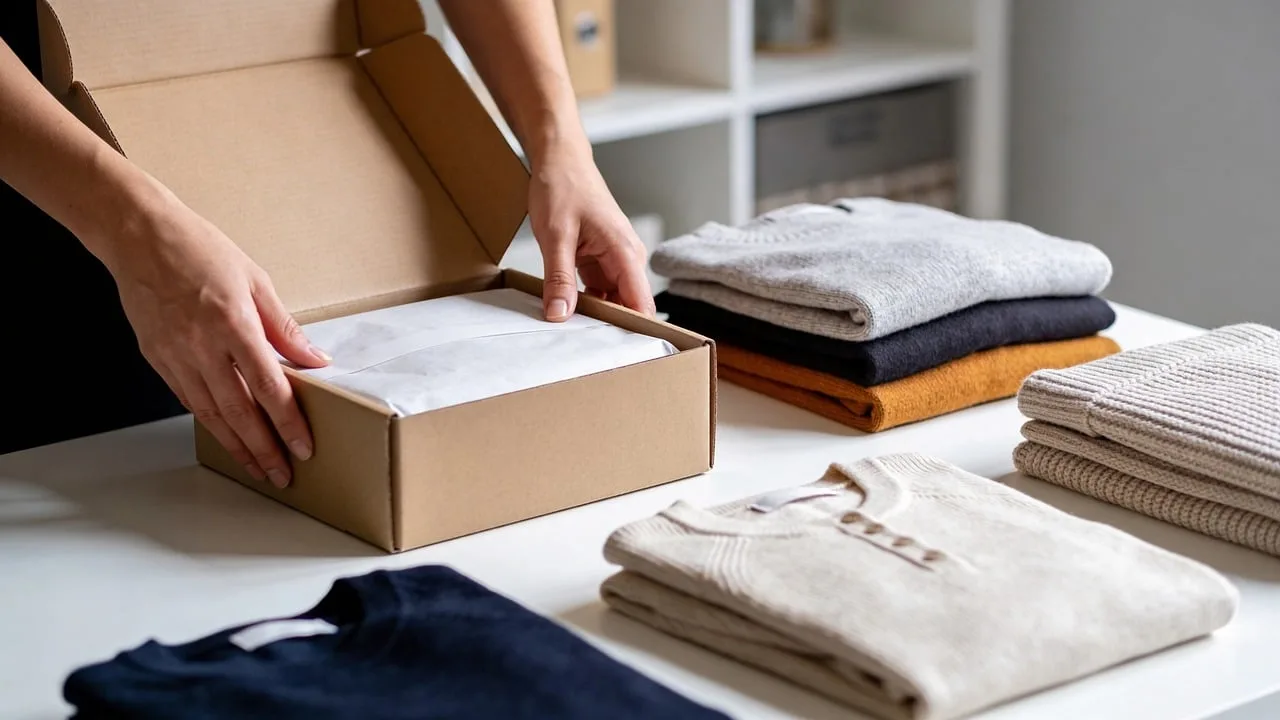
The courier is at your door, you have a card reader or cash in hand, and the box is sealed. Cash on delivery gadget inspection means opening the parcel before you pay, testing the three things that actually fail (power, screen, battery), and refusing it on the spot if any of them don't check out. You are allowed to do this. It takes about ten minutes, and it is the only leverage you get.
Once you hand over the money, your problem stops being a delivery dispute and becomes a warranty claim. That is a much slower, much more annoying process. So spend the ten minutes now.
What should you check before you hand over the money?
Advertisement
Work in a fixed order, because each step depends on the last one. If the seal is broken, you can stop early and save yourself the rest.
The outer box. Look for crushed corners, water staining, or tape that has been cut and re-laid. A dented corner is usually fine. A box that has clearly been opened and resealed is not, especially for anything with a battery inside.
The seal and the serial number. Find the serial number on the box label and confirm it matches the one printed on the device itself or in its settings menu. Mismatched serials are the single clearest sign of a swapped unit.
What's in the box. Count the accessories against the printed contents list. Missing cables are common and annoying, and once you've paid, proving they were never in there is your word against theirs.
Power on. Not "looks fine through the plastic." Actually turn it on. A surprising number of dead-on-arrival units look perfect through the wrapping.
The screen. Not just whether it lights up. Look at a plain white or grey background and hunt for dead pixels, bright spots, or uneven backlighting along the edges.
The battery. Check the percentage it ships with, then watch whether it moves while you're standing there.
Ports and buttons. Plug in the charger and confirm the device actually registers it. Press every physical button once.
Connectivity. If it's a phone or a smart device, see whether it finds your Wi-Fi network. You don't need to fully connect. Just confirm the radio works.
The five-minute test you can actually run at the door
You are not doing a full review. You are looking for the failures that are hard to prove later.
Here is the sequence that catches the most problems in the least time:
- Power on and leave it on. Don't switch it off after it boots. Leave it running while you do everything else.
- Open the settings and read the battery percentage. A brand new device should arrive somewhere between 30% and 80%. If it shows 1% or 100%, that tells you something about how it was stored or whether it's been used.
- Watch that number for two or three minutes. On a healthy new battery it either holds steady or creeps down by a point. If it drops several points while sitting idle on your doorstep, that's a battery that has been sitting discharged for a long time.
- Turn the brightness to maximum. This is when weak backlights and dead pixels become visible. At low brightness almost everything looks acceptable.
- Plug in the charger and confirm the charging indicator appears. A device that won't accept a charge is dead to you, no matter how well it boots.
- Press every button and toggle every switch. Volume rockers and power buttons are the most common physical failure on budget hardware.
If the device has a fan, this is where you find out whether it actually spins. A Disney licensed mini handheld fan is a good example of something worth switching on at the door: it's cheap enough that you might be tempted to skip the check, but it has a motor and a rechargeable cell, which are exactly the two parts most likely to arrive dead. Turn it on, feel for airflow, and listen for grinding. Ten seconds tells you everything.
How long should you keep the courier waiting?

Ten minutes is reasonable. Twenty is pushing it. If you need longer than that, you're probably not checking the device anymore, you're deciding whether you wanted it.
Most couriers would rather wait a few minutes than process a return, so a polite "give me two minutes to power it on" is rarely refused. What gets refused is a customer who opens the box, disappears inside for half an hour, and comes back with a list of complaints.
Do the prep before the courier arrives. Have a knife or scissors ready, know where you're going to open it, and have your payment method already decided. Standing in a doorway fumbling for a box cutter while someone waits is how people end up skipping the check entirely.
When should you refuse the package?
Refuse when the problem is structural, not cosmetic. A scuffed box is not a reason. These are:
- The seal is broken or the box has clearly been resealed.
- The serial number doesn't match the box label.
- The device won't power on, or won't accept a charge.
- The screen has visible dead pixels or backlight bleed at full brightness.
- The battery drains noticeably while the device sits idle.
- The model or variant is wrong. You ordered 128GB and the box says 64GB. This happens more than you'd think with high-demand items.
- Accessories listed on the box are missing.
Refusing is not the same as returning. You hand the parcel back, you don't pay, and the transaction ends there. That's the whole point of cash on delivery. Once you've paid, you're into a return process with its own timelines and its own burden of proof.
What you should not refuse over: a slightly dented outer box, packaging that looks less premium than you expected, or a device that needs a software update out of the box. Those are normal.
Cash on delivery vs paying upfront: what you actually give up
COD is not free leverage. It costs you something, and it's worth knowing what.
| Cash on delivery | Paying upfront | |
|---|---|---|
| Inspection before payment | Yes | No |
| Typical delivery time | Slower, often by several days | Faster |
| Extra fees | Sometimes a COD handling charge | Usually none |
| Refund speed if something goes wrong | You never paid, so nothing to refund | Depends on the seller's policy |
| Returns after payment | Same process either way | Same process either way |
| Best for | First order from a new seller, or anything expensive | Sellers you've used before, cheap items |
Notice the last row. COD is most valuable on your first order from an unfamiliar seller, or on a high-value item where a dud would hurt. For a repeat purchase from a shop you trust, the inspection advantage shrinks to almost nothing and you're just paying more and waiting longer.
One more thing worth knowing: the courier's job is to deliver the parcel, not to adjudicate your inspection. If you refuse, they may ask why. A short factual answer ("it won't power on") is enough. You don't owe an argument.
What to do the moment you've paid
Keep the packaging. All of it, including the outer box, for at least the length of the return window. Photograph the serial number and the box label together on the day it arrives. If the device fails in week two, that photo is what settles the question of which unit you were sent.
Then do the real test, the one you couldn't do at the door. Charge it fully, run it down, and use it normally for a day. Doorstep checks catch dead units. They don't catch a battery that holds 60% of its rated capacity, and that's the failure that shows up a week later.
The ten minutes at the door is not about being thorough. It's about not paying for something that was never going to work.