You've probably seen those apps that claim to cool your phone by "closing background processes" or "optimizing CPU usage." They sound smart, but here's the truth: they don't cool you, and they barely help your phone. In the rechargeable fan vs cooling app showdown, the fan wins because it moves air across your skin and actually lowers your perceived temperature. For Dhaka's heat and load-shedding hours, the fan wins every time.
What do cooling apps actually do?
Most cooling apps are glorified task killers. They show a thermometer, spin some graphics, and claim to "reduce CPU load." In reality, your phone's processor already manages its own temperature through throttling. The app might close a few background apps, but that's something you can do manually in two taps.
Advertisement
Some apps do try to reduce screen brightness or turn off Wi-Fi, but you can do that yourself. Worse, many of these apps are ad-supported and run in the background, consuming more battery and CPU. A 2019 study by AVG found that so-called "booster" apps often drain more power than they save. So the app might actually make your phone warmer, not cooler.
Even if an app does shave off a few degrees from your phone's SoC, that doesn't transfer to your body. Your phone's heat is tiny compared to your body's heat. You're not cooling yourself by cooling your phone.
How does a rechargeable fan cool you better?
A fan cools you through evaporative and convective heat loss. When air moves across your skin, it speeds up sweat evaporation, which pulls heat away from your body. That's why a 30 km/h breeze feels several degrees cooler than still air at the same temperature.
A rechargeable fan, even a small handheld one, creates that breeze. It's direct, immediate, and doesn't depend on your phone's battery. For example, a typical 2000mAh handheld fan runs about 4 hours on low, which covers one load-shedding block in most Dhaka areas. On high, it might last 1.5 to 2 hours, enough for a commute or a meal.
Your phone, meanwhile, is busy running apps, and the more you use it, the hotter it gets. Using a cooling app while also charging? That's a recipe for heat, not relief.
Can a cooling app preserve your phone's battery?
This is the other big claim: "Save battery by cooling your phone." Let's break it down. Lithium-ion batteries degrade faster at high temperatures, so keeping your phone cool does help long-term health. But a cooling app doesn't actually lower your phone's temperature in any meaningful way. It might reduce background activity, but the phone's own thermal management already does that.
If you want to preserve battery, the real steps are: lower screen brightness, turn off unused radios, close heavy games, and avoid charging in direct sunlight. A cooling app can't do anything a human can't do manually.
On the flip side, a rechargeable fan uses its own battery, so it doesn't drain your phone. In fact, if you're using your phone while it's plugged into a power bank, the fan can keep you comfortable without adding load to your phone. Some fans even double as power banks, but that's a separate feature.
What about the cost and practicality in Bangladesh?
Cooling apps are free, but they come with hidden costs: ads, data usage, and potential battery drain. A basic rechargeable fan costs anywhere from ৳500 to ৳2,000 depending on size and brand. For that price, you get years of use, no ads, and no data consumption.
In Bangladesh, load shedding is still a reality, especially in summer. A fan doesn't need a grid or a phone. It works anywhere. You can hang it on a hook, clip it to a desk, or carry it in your bag. A cooling app is useless during a power cut if your phone dies.
Also, think about the heat index. Dhaka's humidity makes the "feels like" temperature higher than the actual reading. A fan directly addresses that by moving air, which helps sweat evaporate. An app can't do that.
What are the downsides of a rechargeable fan?
Let's be honest: a fan isn't perfect. It needs charging, and if you forget, you're stuck. The smaller ones have limited airflow, so they're best for personal use, not for cooling a whole room. And in extreme heat (above 35°C), a fan can actually feel like a hair dryer if the air is already hot and dry. That's rare in Dhaka's humid climate, but worth noting.
Also, some cheap fans have noisy motors or weak batteries. You get what you pay for. If you buy a 500mAh fan, expect maybe an hour of use. If you buy a 4000mAh fan, you can get through a full evening.
Another thing: if you're using a fan while walking, the breeze might not feel strong enough to overcome your body heat. But for sitting at a desk or lying in bed, it's perfect.
How to choose a rechargeable fan that actually works?
Here's what to look for:
- Battery capacity: At least 2000mAh for basic use, 4000mAh or more for all-day reliability.
- Airflow: Check the CFM (cubic feet per minute) if listed. Higher is better. A fan with 8-10 CFM is good for personal cooling.
- Noise: Look for fans under 40 dB if you plan to use it while sleeping. Some are surprisingly quiet.
- Charging port: USB-C is standard now, but some budget fans still use micro-USB. Avoid those if you can.
- Build quality: Metal blades last longer than plastic ones, but plastic is lighter and cheaper.
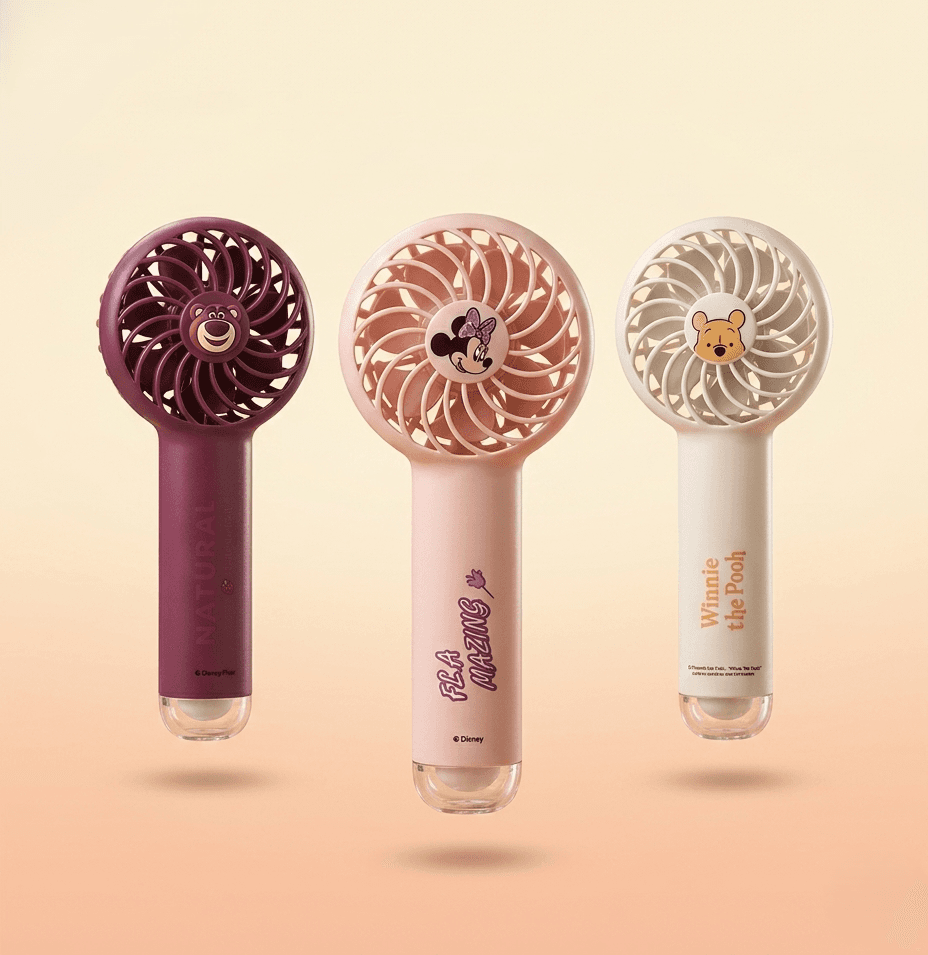
If you want a compact option, the Disney Mini Handheld Fans from DearBuys are a decent pick. They're small enough to slip into a pocket, run on a rechargeable battery, and cost less than a few cups of coffee. Not the most powerful, but for personal use, they get the job done.
So, which should you use?
Use both, but for different reasons. Keep your phone cool by avoiding heavy apps and direct sunlight, not by installing a cooling app. And for your own comfort, get a rechargeable fan. The fan cools you, saves your phone's battery, and works during outages. The app does none of those.
Next time you see an ad for a cooling app, remember: your skin needs moving air, not a CPU optimizer. Spend your ৳500 on a fan, not on premium app subscriptions that do nothing.
Practical takeaway: Download a task manager if you want to close apps, but don't expect it to cool your phone or you. For real relief, buy a rechargeable fan with at least 2000mAh, keep it charged, and place it where the breeze hits your face and neck. That's the only cooling tech that passes the test.
A 2025 Note on Phone Cooling: Heat Is Normal, Throttling Is the Fix
Modern phones are designed to run warm under load and to protect themselves by throttling performance — so if your phone feels hot during gaming or fast charging, that's expected behavior, not a problem an app can solve. If you want to reduce heat in 2025, the practical moves are removing the case while charging, avoiding direct sunlight, and pausing heavy games during charging sessions. Apple's own guidance confirms that high temperatures can permanently shorten battery life, which is why avoiding heat beats trying to "cool" your way out of it. Apple: Maximizing Battery Life and Lifespan